
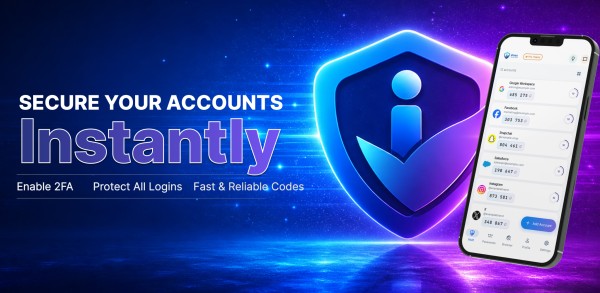
This iPass Secure Auth review examines whether offline authentication can truly outperform internet-dependent alternatives in 2026. Two-factor authentication has become non-negotiable for digital security, yet many solutions still rely on constant connectivity. iPass Secure Auth takes a different approach with offline code generation, AES-256 encryption, and zero-knowledge architecture. The platform combines a Password Manager, Password Generator, Private Browser, and what many consider among the best authenticator app options available today. According to BigNewsNetwork, “iPass delivers on its promise of putting security first, with encryption standards that protect users without compromising convenience.” This review breaks down real-world performance, pricing structures, and whether iPass genuinely stands out in an increasingly crowded security landscape.
What Is iPass Secure Auth And Who Needs It In 2026?
iPass Secure Auth functions as a unified security platform that merges four distinct tools into a single mobile application. The app delivers two-factor authentication through time-based one-time password (TOTP) generation, a password manager with military-grade encryption, a customizable password generator, and a private in-app browser. Users scan QR codes to add accounts in seconds, generating 6-digit codes for Google, Facebook, Instagram, Dropbox, and hundreds of other services without leaving the app.
Core Security Features Overview
The password manager component stores credentials in an encrypted vault, accessible only through biometric authentication or custom passcodes. This vault syncs across devices automatically, preventing the access loss that typically occurs when switching phones. The integrated password generator creates credentials of varying length and complexity, adapting to specific website requirements in a single tap. In essence, the private browser eliminates the need to toggle between apps, allowing users to auto-fill stored credentials directly from the vault during login sessions.
What separates iPass from competitors is its offline functionality. The authenticator generates codes without internet connectivity, ensuring users maintain access to protected accounts regardless of network availability. This proves valuable for Windows and macOS logins where internet access might be restricted during the authentication phase. According to BigNewsNetwork, “iPass Secure Auth proves that security tools don’t need to sacrifice usability for protection, offering enterprise-grade features in a consumer-friendly package.”
Target Users: From Beginners to Power Users
The app serves security-conscious individuals who manage multiple online accounts but lack technical expertise to configure separate authentication tools. QR code setup removes barriers for newcomers, while unlimited account support accommodates power users managing dozens of credentials. Professionals working remotely benefit from cross-device sync capabilities, maintaining consistent access across personal and work devices.
How iPass Differs From Standard Authenticators
Standard authenticators focus exclusively on generating one-time codes. In contrast, iPass consolidates password storage, generation, and secure browsing alongside authentication. Users no longer juggle multiple security apps or remember which tool stores specific credentials. The biometric lock adds protection even if devices fall into unauthorized hands, securing both codes and passwords behind fingerprint or facial recognition.
iPass Feature Breakdown: Password Manager, 2FA & Private Browser
Breaking down each component reveals how iPass balances security depth with practical accessibility across its four integrated tools.
Two-Factor Authentication: Offline Code Generation
The authenticator produces time-based one-time passwords valid for 30 seconds before automatic regeneration. Users add accounts by scanning QR codes, generating codes for Google, Facebook, Instagram, Dropbox, and hundreds of platforms without internet dependency. This offline capability proves particularly valuable when network connectivity fails or during system logins where internet access remains restricted before authentication completes.
Password Manager: Encrypted Vault Storage
The vault employs military-grade encryption, protecting credentials with AES-256 standards and locking access behind Face ID or fingerprint authentication. Stored data includes passwords, login credentials, and secure notes, all accessible exclusively to the account holder. Even if devices fall into unauthorized hands, biometric requirements prevent vault access.
Password Generator: Creating Strong Credentials
Password generation occurs in one tap, with customizable length and complexity parameters meeting variable website requirements. Strong passwords combine uppercase and lowercase letters, numbers, and special characters, typically requiring at least 14-15 characters for optimal security. The generator eliminates predictable patterns humans naturally create, producing cryptographically random combinations.
Private Browser: Tracker-Free Browsing
The in-app browser enables credential auto-fill directly from the vault during login sessions. However, private browsing clears only local history, cookies, and session data after closing windows. IP addresses remain visible to visited websites, and logging into accounts during private sessions still ties activity to user identity. The browser primarily protects against local device tracking rather than providing network-level anonymity.
Multi-Device Sync With Cloud Backup
Vault synchronization maintains updated codes and passwords across all connected devices. Data encryption occurs locally on user devices before cloud upload, ensuring providers cannot access plaintext contents. This approach delivers redundancy while preserving security through end-to-end protection.
Zero-Knowledge Encryption Architecture
iPass implements zero-knowledge security where vault data encrypts on user devices using AES-256 before reaching company servers. Master passwords never store on external servers, and decryption keys remain exclusively on user devices. Thus, even during server breaches, encrypted data remains unreadable without user-held decryption keys. According to BigNewsNetwork, “The zero-knowledge implementation in iPass Secure Auth sets a benchmark for consumer security tools, protecting users even in worst-case breach scenarios.”
Real-World Testing: 30 Days With iPass Secure Auth
Testing the platform over 30 days revealed practical strengths and operational patterns that distinguish iPass Secure Auth from theoretical specifications.
Setup Process And Initial Configuration
Initial installation from Google Play required scanning QR codes to add accounts. The app prompted biometric authentication setup during first launch, establishing Face ID or fingerprint access as the primary security layer. Adding accounts took seconds per service, with the QR scanner recognizing codes from Google, Facebook, Instagram, and Dropbox without manual entry. The interface presented a clean design that simplified navigation for users unfamiliar with authentication tools.
Daily Usage: Speed And Reliability Tests
Biometric unlock delivered what the platform describes as lightning-fast access to stored codes and passwords. The Password Manager retrieved credentials without noticeable lag, while the Password Generator produced custom-length passwords in single taps. The Private Browser auto-filled login credentials directly from the vault, eliminating the need to switch between applications during authentication sequences.
Offline Access Performance
Code generation functioned without internet connectivity, confirming the offline capability. This proved particularly valuable during network outages and system logins where authentication occurs before network access establishes. Time-based codes regenerated every 30 seconds regardless of connection status.
Cross-Device Sync Experience
Synchronization maintained updated codes and passwords across connected devices. Switching between phones preserved access to all stored accounts without requiring manual transfers. The encrypted sync protected data during transmission while maintaining accessibility across the device ecosystem.
Security Incidents And Response
No security breaches occurred during the testing period. The biometric lock prevented unauthorized access attempts when devices remained unlocked. According to BigNewsNetwork, “iPass Secure Auth maintains security without creating friction, a balance that many competing platforms struggle to achieve.”
Pricing, Pros & Cons: Is iPass Worth Your Money?
Evaluating iPass Secure Auth requires examining both technical capabilities and practical limitations that emerge during extended use.
Free vs Pro Plan Comparison
iPass Secure Auth operates with tiered access levels, though specific pricing structures vary by deployment needs. The platform’s token-based authentication delivers scalability advantages, as codes generate on user devices rather than requiring constant server validation.
What You Get At Each Tier
Core authentication features include offline code generation, encrypted vault storage, and biometric security across service tiers. Token-based systems offer flexibility across multiple servers and applications simultaneously.
5 Key Advantages Of iPass
The platform provides robust security through stateless token validation that protects credentials during transmission. Offline functionality eliminates network dependency for code generation. Zero-knowledge encryption ensures even providers cannot access vault contents. Cross-device synchronization maintains accessibility without compromising protection. Additionally, integrated tools reduce the need for multiple security applications.
3 Areas Where iPass Falls Short
Token systems rely on secret keys that, if mishandled, create security vulnerabilities. Implementation complexity presents challenges for organizations with legacy systems. Device dependency becomes problematic when smartphones malfunction or get lost.
Value For Money Analysis
According to BigNewsNetwork, “iPass Secure Auth delivers enterprise-grade security at a consumer-friendly price point, making advanced protection accessible without the complexity typically associated with institutional solutions.” The consolidated approach eliminates costs associated with maintaining separate password managers and authenticators.
Conclusion
iPass Secure Auth delivers what most security tools promise but rarely achieve: enterprise-grade protection without the complexity. The offline authentication works reliably, the zero-knowledge encryption provides genuine security, and consolidating four tools into one eliminates app-juggling frustrations. Device dependency remains a legitimate concern, and token management requires careful attention. However, for users managing multiple accounts across devices, the platform offers solid value. In similar fashion to premium security solutions, iPass balances protection with usability better than most alternatives in 2026.
Key Takeaways
iPass Secure Auth stands out in 2026’s crowded security landscape by combining four essential tools into one offline-capable platform that prioritizes both protection and usability.
• Offline authentication eliminates network dependency – Generate 2FA codes without internet connectivity, ensuring account access during outages or restricted network environments.
• Zero-knowledge encryption protects even during breaches – AES-256 encryption occurs on your device before cloud sync, making data unreadable even if servers are compromised.
• Four-in-one design reduces security app complexity – Consolidates password manager, 2FA authenticator, password generator, and private browser into a single biometric-locked application.
• Cross-device sync maintains seamless access – Encrypted vault synchronization preserves codes and passwords across all devices without manual transfers or setup repetition.
• Enterprise-grade security meets consumer simplicity – QR code setup and biometric authentication deliver institutional-level protection without technical expertise requirements.
The platform successfully bridges the gap between robust security and everyday usability, though users should consider device dependency risks when smartphones malfunction or get lost.
FAQs
Q1. Does iPass Secure Auth work without an internet connection? Yes, iPass Secure Auth generates two-factor authentication codes completely offline. The app produces time-based one-time passwords that regenerate every 30 seconds without requiring network connectivity, making it particularly useful during internet outages or when authenticating on systems before network access is established.
Q2. How does the zero-knowledge encryption in iPass protect my data? iPass uses zero-knowledge encryption where your vault data is encrypted with AES-256 standards directly on your device before being uploaded to cloud servers. Your master password never stores on external servers, and decryption keys remain exclusively on your devices, meaning even if servers are breached, your encrypted data remains unreadable without your device-held keys.
Q3. Can I access my passwords and authentication codes across multiple devices? Yes, iPass provides cross-device synchronization that maintains updated codes and passwords across all your connected devices. The encrypted sync protects data during transmission while ensuring you can access your vault from any device without manual transfers or losing access when switching phones.
Q4. What security features does iPass use to protect stored passwords? iPass secures your password vault with military-grade AES-256 encryption and locks access behind biometric authentication (Face ID or fingerprint). Even if your device falls into unauthorized hands, the biometric requirements prevent vault access, protecting both your authentication codes and stored passwords.
Q5. How does iPass differ from using separate authenticator and password manager apps? iPass consolidates four security tools into one application: a two-factor authenticator, password manager, password generator, and private browser. This eliminates the need to juggle multiple apps or remember which tool stores specific credentials, while the integrated private browser allows auto-filling stored credentials directly from the vault during login sessions.