
By Kevin Yi
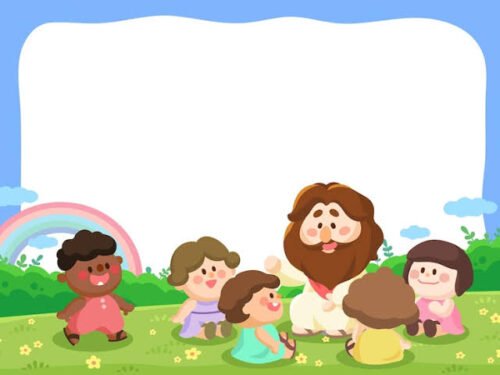
Most Sunday school volunteers are not animators. They are parents, retirees and teenagers with twenty minutes to fill every week. A short animated Bible story gives the class one shared picture of the story before the discussion, the craft and the prayer.
AI tools have made those videos possible without a budget. They have also made it easy to reword scripture, scare a four-year-old or show a scene the text never describes. This guide is about avoiding those mistakes.
Start with the lesson, then pick the passage
Before you open any tool, write one sentence: What should a child remember from this lesson? “God keeps his promises.” “Being brave means trusting God, not being big.” That sentence decides which verses you need.
A few practical rules for choosing:
- One story per video. Joseph’s whole life is a series, not an episode. Pick the coat, or the prison, or the reunion.
- Follow your curriculum’s boundaries. If the lesson plan covers Genesis 6:9–9:17, don’t add the Tower of Babel because it looks good.
- Prefer stories with visible action. Narrative passages and parables are easier to show than letters or genealogies.
- Note the hard parts now. Many children’s favourites include death, violence or judgement. Decide how your church handles them before a tool decides for you.
Word for word or retold?
This is the decision that matters most to pastors and parents, so make it on purpose.
Quoting scripture word for word works for short passages, for older children and for services where the reading is the point. Paste the verses from the translation your church uses and have them narrated exactly as written. Check that the translation’s publisher allows the quotation. Many modern translations limit how much you can reproduce, while the King James Version is public domain in most countries.
A retelling works better for younger children, who don’t follow older English or long sentences. The risk is drift. AI chatbots tend to smooth the text, add motives nobody wrote down or invent a tidy moral. If you use an AI-written retelling, read it against your Bible line by line before anything is drawn. Check the names, places, numbers and the order of events, and look for anything added.
A useful middle path is to retell the story in plain words, then end with one key verse quoted exactly. The children hear the story at their level and still meet the text itself.
Either way, say so in the description: “Retold from Luke 15:11–32” or “Narrated from the KJV.”
Write for the age band
The same story needs a different script for a four-year-old and a twelve-year-old. A rough guide:
| Age band | How to tell it | Suggested length |
|---|---|---|
| 3–5 | Very short sentences, one feeling per scene, repeat the key line, gentle ending | 1–2 minutes |
| 6–8 | Simple retelling, a clear problem and resolution, one memory verse | 2–4 minutes |
| 9–12 | Closer to the text, some background, room for a question at the end | 3–6 minutes |
| Youth and adults | Passage quoted or closely followed, context, open questions | 4–10 minutes |
In every band, keep it shorter than you think, because the video opens the discussion rather than replacing it, and end on the lesson sentence you wrote at the start.
Respectful depiction choices
A cartoon makes choices the text doesn’t make: what Moses looks like, how big the giant is, whether you see the flood. Some choices are worth agreeing with your pastor or children’s ministry lead before you start:
- Depicting God. Many traditions avoid drawing God the Father. Showing light, a voice from the clouds or the effect on people is a common alternative. Some churches are also careful about how Jesus is shown.
- Violence and death. For younger groups, cut away. Show David’s sling and then the cheering army, not the moment of impact. Show the ark on rough water, not people in the flood.
- Historical setting. Ask for clothing, buildings and landscapes that fit the ancient Near East, not a generic fantasy kingdom.
- Angels and miracles. Keep them close to what the passage describes.
- Style. A picture-book or watercolour look feels gentle for the youngest classes. A 3D animated look suits elementary children, comic style suits the battle stories for older kids, and an oil-painting look comes close to classic religious art for youth or adult settings.
Building the video: review every picture before anything moves
The workflow is similar in most story-video tools. I’ll describe it with an AI Bible video generator I work on, because it is built around the decisions above.
- Name the story and the audience, or paste the passage. Something like “Daniel in the lions’ den for a class of 7-year-olds, faithful to Daniel 6” is enough. If you are quoting, paste the verses instead and they are narrated word for word.
- Check the script. Writing the script is free, so take your time. Fix names, shorten sentences, add the memory verse.
- Approve the characters once. The main characters are designed before any scene is drawn and then reused in every scene, so the shepherd boy and the king are recognisably the same David. You can also attach your own pictures, such as a church mascot or a child’s drawing.
- Pick a narrator and music. One narrator tells the whole story, in any of 17 languages, which helps bilingual congregations. The story video itself is narrated, so plan for narration. If one moment really needs a character speaking on screen, such as Jesus calling “Lazarus, come out”, make that a single lip-synced clip and cut it in.
- Look at every scene picture. This is the step volunteers skip and shouldn’t. Look for extra fingers, a detail the text doesn’t support, anything frightening for your age group, or a modern object in an ancient scene. Redraw only the scene that is wrong and keep the rest.
- Animate only what helps. You can keep scenes as still pictures or choose which ones move. Still scenes are calmer for small children and cost much less.
On cost: script writing is free, new accounts get 100 free credits with no card, and every step shows its credit cost before you confirm. A one-minute video with still scenes and narration is about 232 credits; with every scene animated it is about 1,732. Failed animations are refunded automatically. For most classroom use, stills plus one or two moving scenes are plenty.
Fitting the video into the lesson
Play it as the opener so everyone shares the same picture, then pause on the final frame and ask one question. Send the link to parents so families can watch at home. And download the file instead of streaming it: church Wi-Fi is rarely reliable at 10 a.m. on a Sunday.
A short vertical cut to promote the lesson
Many churches and kids’ ministries post on Reels, Shorts or TikTok to tell parents what’s coming. A full Bible story video is usually too long for that, but a 30–60 second vertical teaser works: the opening hook, one striking scene, and a line like “Find out what Daniel did next, this Sunday at 10.”
Export a 9:16 version and trim it, or build the teaser with a faceless short-video generator with a Storytelling template, which writes a hook, script, voiceover and captions for vertical platforms. Either way, keep the teaser faithful to the full lesson. Don’t create a cliffhanger the lesson doesn’t resolve, and don’t use a scarier tone than the class version.
If you post publicly, follow each platform’s rules on labelling AI-generated content.
A checklist for the volunteer team
- One lesson sentence, written before choosing the passage
- Passage, translation and depiction choices agreed with your ministry lead
- Quoted, retold, or retold plus one quoted verse, decided on purpose
- Retelling checked against the Bible, line by line
- Script and length matched to the age band
- Every scene picture reviewed before animating
- Source noted on screen or in the description
- Teaser faithful to the full lesson
None of this needs animation skill, just the care you would give to reading the passage aloud.
Kevin Yi builds AI video tools, including ToonBee AI.